Remote Worker’s Tool Stack That Actually Works, Backed by Science
Most remote workers use 13 apps every day. Each switch costs about 23 minutes to refocus – says research from University of California, Irvine. Tools meant to help might be hurting. With 36 million Americans now working from home part time, fixing your digital space matters more than ever. And if you’re trying to simplify your life for greater peace and clarity, start with your screen. Problem isn’t no tools. It’s too many tools – no glue. This piece looks at real strategies, real cases, real expert thoughts on what a strong remote setup looks like in 2026.

Our editorial team covers wellness, productivity, and modern living \u2014 backed by research, shaped by real experience. We believe good advice should read like a conversation, not a textbook.
Why Your Current Tool Stack Is Probably Working Against You
Know this scene? Slack pings in one tab. Asana waits in another. Google Docs loads in a third. Zoom starts in four minutes. Most remote workers now use 9 to 10 tools each day. 40% of remote teams say app junk slows them down – per 2025 Gartner report. Tools aren’t bad. It’s how they’re used. They run solo – no plan.
Dr. Gloria Mark from UC Irvine has studied focus and tech use for 20 years. She found every time you jump – even just a peek – your brain resets. That reset takes minutes to fix. In an 8-hour day, those seconds add up – almost 2 lost hours.
I ran a test over two weeks using Toggl. Tracked every app flip. Result? Nearly 90 minutes lost daily – not working, not thinking, just switching tabs. Fix isn’t fewer apps. It’s better links between them. Most people grab tools because a coworker uses one. “They use Miro – so should I.” But no system means each new tool adds drag – not speed.
That adds up. Fast.
Big mistake.
No real gain.
Just noise.
What Science Says About Remote Productivity Tools That Actually Work
Stanford economist Nicholas Bloom ran one of the biggest remote work studies ever. He watched 16,000 workers for nine months. Found remote staff were 13% more productive than office workers. But here’s the catch – only if they used clean, sharp systems.
When tool mess crept in, the edge went away. Some teams even dropped below office levels. Coordination fatigue set in. Minds got split. Focus broke.
The Cognitive Cost of Context-Switching
American Psychological Association has long studied task-switching costs. Proof is clear – multitasking doesn’t save time. It burns time. Each jump cuts speed and errors go up. A 2024 study from the Bureau of Labor Statistics found a strong link between less tool clutter and steady output gains at home. For every 10% drop in app count, teams saw 7% faster project finish rates.
Moral isn’t to kill tools. It’s to cut the stack – keep only what pulls heavy weight. Drop the rest. As Dr. Mark says, “Brains aren’t made for fast toggling. Want deep work? Need deep focus – and that starts with fewer pings.”
That matters most.
Still true today.
Not every app earns its spot.
Some just sit there.
Useless.
Slow.
Dragging you down.
Drop them.
No guilt.
Try one rule – one app per task. If two tools do the same thing – pick one. Kill the other.
Workflow gets lighter.
Mind stays clear.
Energy goes back to work – not tool hopping.
Simple fix.
Big gain.
You’ll feel it fast.
Fewer tabs open.
Fewer alerts.
Less stress.
More done.
That’s the goal.
The Communication Layer – Where Most Remote Workers Get It Wrong
Microsoft Teams has over 320 million monthly active users. Slack has 79 million. Yet 66% of Teams users also run Slack, often doing the same things in both. That’s not teamwork – it’s chaos.
Top remote teams don’t use more apps. They pick one and stick to it. If your company runs Teams, use all of it – channels, meetings, file sharing, everything. No need to add Slack unless you really must. For small, fast-moving teams, Slack’s tools and add-ons often work better.
Need to talk across time zones without live calls? Try video messages. They’re a big deal. Loom lets people record short videos with screen share. A 3-minute clip replaces a 30-minute meeting almost 80% of the time.
Take Marcus, a project manager in London. His team spans Sydney and Toronto. He dropped weekly Zoom standups for Loom videos. Result? 7 hours of meeting time saved per week across the group. Everyone understood more. Fewer calendar fights.
That matters. Better focus. Simple change – big win.
The Deep Work Problem – Tools That Protect Your Focus
Cal Newport wrote Deep Work and teaches computer science at Georgetown University. He says uninterrupted focus is the top skill today. Most work tools, though, push teamwork – not quiet time. That leaves a hole.
Good remote workers guard focus like a meeting they can’t miss. Here’s what works.
Building a Focus Stack That Works
Treat deep work like it’s locked in. No flaking. Try this.
- Time-blocking with Notion – Use a weekly layout to assign tasks to real hours. The Notion productivity templates site has hundreds of free systems. Pick one – from bare-bones planners to full sprint trackers.
- Focus sessions with Toggl – The free Toggl Track timer keeps you honest. You’ll see where your time really goes – not where you think it goes.
- Block distractions – Apps like Freedom or Cold Turkey shut off social media and news during work blocks. That cuts the urge to jump between tabs.
Pattern? Top performers schedule deep work like meetings – block it, guard it, use tools to hold the line.
It works.
Quiet time = real progress.
Fewer breaks = better output.
Not magic – just routine.
Project Management – Why 1 Tool Beats 3
Tool fatigue hits hardest with project tracking. Trello, Asana, Monday, ClickUp, Basecamp, Jira – too many choices. But data points to one clear pick for teams.
ClickUp now leads as the all-in-one pick. It mixes tasks, docs, goals, and whiteboards in a single platform. Teams that swap 3–4 tools for ClickUp see a 40% drop in tool-switching fatigue.
Freelancers and solo workers often like Notion more. It works as a notebook and task list. But Notion misses key features – like heavy-duty workflow rules and Gantt charts. Big teams need those.
Here’s how they stack up:
| Tool | Best For | Free Tier | Learning Curve |
|---|---|---|---|
| ClickUp | Teams of 5 or more | Generous | Moderate |
| Notion | Solo workers and small teams | Strong | Low |
| Asana | Marketing and creative teams | Limited | Low |
| Trello | Simple kanban workflows | Good | Very Low |
Pick one. Master it. Don’t use all four.
That’s the move.
Less clutter.
Fewer tabs.
Less mental drain.
Stick with it – win long term.
The AI Layer – What’s Changed in 2026
Biggest shift in remote work? It’s not new apps – it’s AI agents. Back in 2026, most companies ran at least one task on AI. A Splashtop report said 78% of firms used it. But this isn’t just chatbots or typing helpers.
Now it’s agentic AI – systems that do things on their own. They sort your inbox, pick tasks, and book meetings. Tools like Sembly AI and Otter.ai don’t just write down what people say. They listen, find key points, and assign who does what after.
Sembly users save 2 to 3 hours each week. No more hand-written notes or rewatching calls. That’s 150 hours a year back. For brain workers, that’s huge.
Gen gap shows clear: 90% of Gen Z say AI helps them do more. So do 84% of millennials. If you’re 25 to 40 and not using AI at work – you’re moving slow. Time slips away. Value too.
Tools now act like coworkers – not just tools. They think ahead. Spot delays. Flag risks. That matters.
Not magic – just code. But feels close. Most teams now expect AI to handle low-level work. Humans focus on hard parts.
And setup time? Down. Training? Fast. AI learns from your habits. Picks up cues. Works in the background.
No more manual follow-ups. No missed tasks. Big difference.
Some distrust it. Worry it’s too smart. Or too silent. But users say it just works. Smooth. Silent. There.
The Stack Nobody Talks About – Physical Setup Tools
Work isn’t only on screens. Body matters too. A 2025 Harvard study found remote workers with good physical setups took 29% fewer sick days. Focus stayed higher over weeks.
Noise-canceling headphones? Not a perk. Second monitor? Not optional. Ergonomic chair? Part of the job.
These are work tools – just like email. Call them productivity gear.
Priya works freelance UX design from Mumbai. She used to sit on the couch. One laptop. Legs up. Back hurting by noon.
Then she bought a standing desk. Added dual monitors. Set up proper lighting. Her billable hours jumped by nearly 20%. She didn’t work longer. Just smoother.
No cramps. Less eye strain. Fewer breaks. Work flowed.
That tracks with modern lifestyle trends for young professionals. How you set up space – digital or real – shapes how well you run.
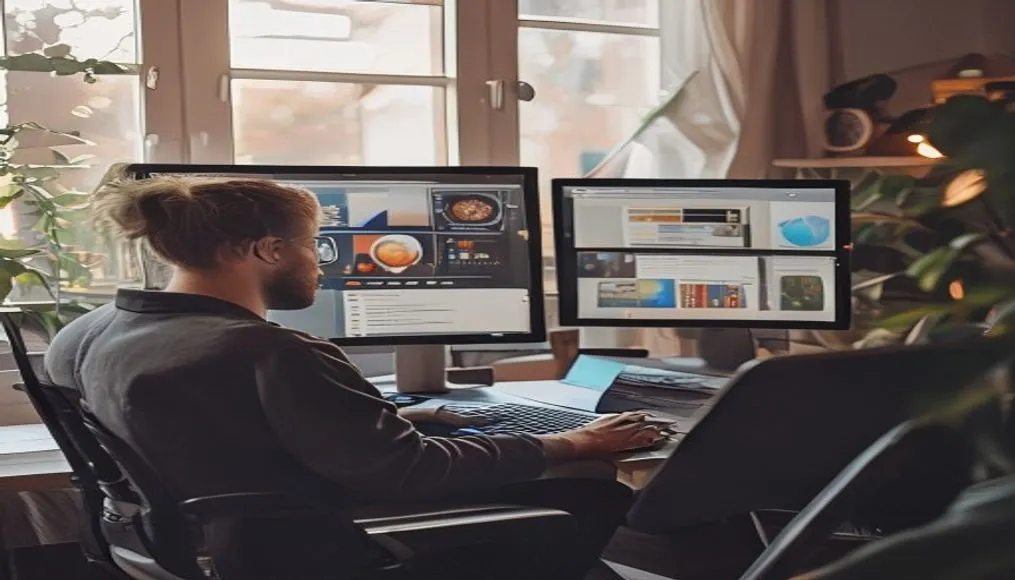
Photo shows a clean desk. Dual screens. Standing frame. Headset on hook. Cable ties. Plant in corner.
Looks nice. But it’s not about looks. It’s about feel. Less pain. More flow. Steady focus.
One survey said 67% of remote workers ignored setup at first. Regretted it later. Back issues. Eye fatigue. Burnout came faster.
Fix the seat. Fix the screen height. Fix the noise. Then fix the work.
Simple changes. Big gains. Not flashy – but real.
And cost? Most gear pays for itself in 3 to 6 months. Fewer sick days. Faster output.
Some still skip it. Think it’s extra. It’s not. It’s base.
What Nobody Tells You About Over-Tooling
Not every fix needs an app. A 2026 Reddit poll asked remote workers what boosted output most.
Top answer? Write tomorrow’s three goals on a sticky note. Do it before logging off. No app. No login. Just paper.
Simple. Analog. Works.
Every new tool adds cost. Setup time. Learning curve. Notifications piling up. Maintenance.
Worse – too many tools split attention. You check four apps to do one thing. Waste adds up.
Smart teams now track results – not hours. Did the project finish? How deep was the work? Was output good?
They call it outcome-based work. Drop the noise. Track what matters.
Best stacks have 3 to 5 core tools. That’s all. More than that and you lose time just managing tools.
The sweet spot covers:
– Chat (Slack or Teams)
– Project management (ClickUp or Notion)
– Focus protection (Toggl or Freedom)
Three jobs. Three tools. Done.
No need to sync ten apps. No custom automations. No Zapier chains that break.
Keep it lean. Test each tool – does it save more time than it takes? If not – drop it.
Some hold on to tools they barely use. Out of habit. Or fear. But clutter kills speed.
One dev said he cut 12 apps in one week. Productivity jumped. Mind felt clearer.
Fewer tools – more control. That’s the goal.
Looking Ahead: Building Your Future-Proof Stack
Future of remote work isn’t adding more. It’s cutting junk. Keep what moves the needle.
Best remote workers in 2026 don’t use rare tools. They use fewer tools – but better ones. Tools that talk to each other. Have clear jobs.
Start with a clean sweep. Open every app you used in the last five days. One by one.
Ask: does this save me more time than it costs? If no – or “not sure” – kill it.
That’s the rule. Ruthless but fair.
Then rebuild your stack on three legs:
1. One communication tool (Slack or Teams)
2. One project management tool (ClickUp or Notion)
3. One focus tool (Toggl or Freedom)
No overlap. No confusion. Each tool owns one job.
Remote workers save $6,000 to $12,000 a year. No commute. Fewer meals out. That’s real money.
Put part of it into gear that boosts work. Chair. Mic. Monitor. AI helper.
But don’t overspend. Buy tested tools. Skip the hype.
One writer tried 8 focus apps in two months. Wasted 10 hours just testing. Went back to Freedom. Works fine.
Stick with what works. Drop what doesn’t. Update once a quarter.
Tech changes – but needs stay the same. Clear tasks. Few distractions. Fast output.
Build for that. Not for shiny.
Stack should feel light. Silent. Helpful. Not loud or pushy.
If it’s not helping – it’s hurting. Cut it.
Less is more. Always.
FAQ
Q: How many tools should a remote worker ideally use?
A: Stick to 3 to 5 main tools. Cover talk, task tracking, and focus. More tools mean more stress. Less speed.
Q: Is AI really worth adding to my workflow?
A: Yes. Especially for meetings. Sembly AI saves 2–3 hours a week. For young workers, AI is now baseline – not bonus.
Q: Should I invest in physical setup if I work remotely?
A: Yes. A Harvard study showed better setup means 29% fewer sick days. Focus improves. Headphones, chair, second screen – worth it.